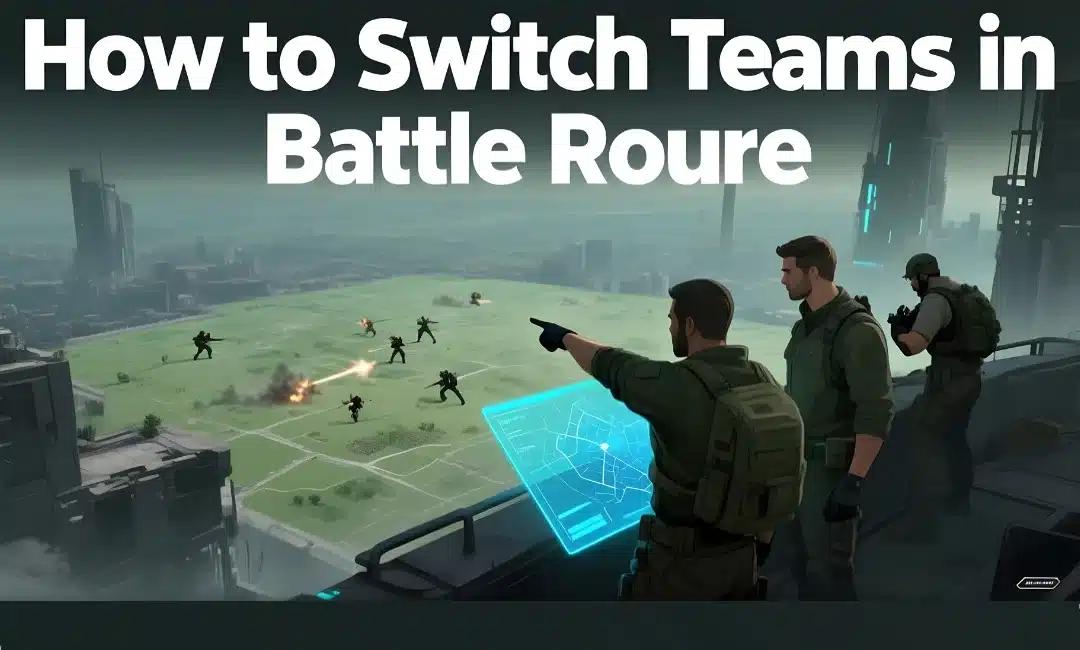
Switching teams in Battle Royale isn’t something students control, and that’s the first thing everyone gets wrong about this game mode. I had a kid almost cry because his best friend was on the other team. Another student demanded a trade like we’re running the NFL draft.
Let me clear up the confusion right now.
Understanding Battle Royale Teams
Battle Royale is Blooket’s elimination-style game mode. Students get split into teams. Teams compete head-to-head. Losing team members get eliminated.
The team assignment happens automatically when the game starts. Blooket’s algorithm divides players as evenly as possible based on who’s in the lobby.
You don’t pick your team. Your best friend doesn’t pick for you. The system assigns you. Period.
Can Students Switch Teams?
Short answer: No.
Long answer: Still no, but let me explain why everyone keeps asking.
Students see their team assignment when the game starts. Blue team or orange team or whatever colors Blooket is using that day. They’re locked in from that moment until elimination or victory.
No trade button exists. No team request feature. No switching mechanism at all. The assignment is permanent for that game session.
This isn’t a bug. It’s intentional design to keep the game fair and prevent the chaos of everyone wanting the “better” team.
How Teachers Can Control Teams
Here’s what you actually control as the teacher hosting the game.
Before starting: You see players in the lobby while hosting. You cannot manually assign teams from this screen. Blooket does it automatically when you hit start.
During the game: You cannot reassign anyone. Teams are set. Focus on managing the game instead of refereeing team complaints.
Between rounds: Battle Royale has multiple elimination rounds. Teams stay the same throughout all rounds. No reshuffling happens.
Want different teams? End the current game and start a fresh one. Students rejoin. Blooket reassigns teams randomly. Maybe your student gets their wish. Maybe they don’t.
Why Team Switching Doesn’t Exist
Game balance. That’s the whole reason.
If students could switch, everyone would pile onto whichever team was winning. Blooket would become “join the winning side simulator” instead of an educational game.
Randomness teaches students to work with whoever they’re assigned. Life skills right there. You don’t always get to choose your project partners.
Plus it prevents the popularity contest. High-achieving students wouldn’t get mobbed with “can I be on your team?” requests. Everyone starts equal.
Workarounds That Actually Work
You can’t switch teams mid-game. But you can influence team composition before the game starts.
Workaround one: Control who joins when. Have half the class join first. Start the game. They’re on two teams now. Then enable late joining and let the other half join. Late joiners get assigned to balance existing teams.
Does this guarantee specific matchups? No. But it splits your class into two waves which can help separate problem combinations.
Workaround two: Run multiple short games instead of one long game. Each new game reshuffles teams automatically. Students mad about their team? They get a new one in 5 minutes.
I do this during review sessions. Three quick Battle Royale rounds. Different teams each time. Everyone gets varied partner experiences. Nobody can complain about bad teammates for long.
Workaround three: Use a different game mode entirely. If team assignments are causing drama, switch to Racing or Gold Quest where everyone competes individually. Check player limits to pick the right mode for your class size.
Managing Student Expectations
Tell students before starting: “Teams are random. No switching. No complaining.”
I literally say this every single time I run Battle Royale now. Cut the complaints by 80%.
Some students still ask “can I switch?” during the game. My response: “Nope. Already told you. Play with your team or sit out.”
Harsh? Maybe. Effective? Absolutely.
Set the boundary early. Enforce it consistently. Students adapt faster than you think.
Team Balance Issues
Sometimes Blooket’s auto-assignment creates uneven teams. Five strong students on one side. Five struggling students on the other.
The massacre happens. One team dominates. The other team gets eliminated fast. Everyone’s frustrated.
You cannot fix this mid-game. Teams are locked. Just let it play out. Then start a new game with fresh team assignments.
Or accept that uneven games teach students about adversity. Not every competition is fair. Learning to handle that matters too.
If balance is critical for your lesson, don’t use Battle Royale. Use Tower Defense where the whole class works together cooperatively. Learn about choosing the right game mode based on your teaching goals.
What About Team Names?
Battle Royale assigns team colors, not team names. Blue team. Red team. Simple.
Students cannot rename teams. You cannot rename teams. Colors are preset and permanent.
If you want custom team names, Battle Royale isn’t your mode. Some other Blooket modes might offer this. Or use a different platform entirely.
Using Random Names with Teams
Random names and team assignments work together fine. Students get random usernames plus random team placement.
Double randomness. Double fairness. Also double the “this isn’t fair” complaints from students who wanted control.
I use both settings together for high-stakes review games. Keeps things anonymous and balanced. Students focus on content instead of politics.
Battle Royale Strategy Tips
Since you can’t switch teams, teach students to maximize whoever they’re assigned with.
Tip one: Fast accurate answers help your whole team. Your performance impacts everyone. Communicate this before the game.
Tip two: Encourage teammates through the chat if your Blooket version has it. Positivity helps more than complaining about assignments.
Tip three: Learn from strong teammates. If you’re teamed with the class genius, watch their strategy. That’s the silver lining of random assignment.
Tip four: Support weaker teammates. If you’re the strong player on your team, your leadership matters. Another life skill disguised as game time.
After the Game Analysis
Check your Blooket reports after Battle Royale. See which students performed well. Which ones struggled.
Reports don’t show team assignments unfortunately. You see individual performance only. Can’t analyze “was the blue team stronger than the red team?” officially.
But you can identify opportunities for review based on question-level data. That matters more than team composition anyway.
For homework follow-up where team drama doesn’t exist, learn how to assign homework and view homework results. Individual practice. Zero politics.
FAQs
Q: Can I manually create balanced teams before starting?
A: No. Blooket assigns teams automatically. No manual control exists.
Q: What if a student refuses to play with their assigned team?
A: They sit out or they play. Those are the options. Your classroom management policy applies here.
Q: Do teams stay the same if we play Battle Royale again?
A: No. Each new game creates new random team assignments. Fresh start every time.
Q: Can I see team assignments before the game starts?
A: No. Teams get assigned the moment you start the game. No preview available.
Switching teams in Battle Royale doesn’t happen because Blooket designed it that way on purpose. Accept the randomness or choose a different game mode.