The best games like Blooket are Gimkit, Kahoot!, Wayground (formerly Quizizz) and Quizlet Live, while Baamboozle and Plickers cover classrooms with few or no student devices. Gimkit is the closest match. Its earn-and-spend loop mirrors Blooket’s coins and power-ups. On price, Wayground wins, since its Basic plan stays free for every teacher and ships with 25+ accommodations such as Read Aloud. One projector and no laptops? Baamboozle needs no student accounts at all.
Every price and player cap below comes from each tool’s official pricing page or help center, checked in October 2026.
What Are the Best Games Like Blooket?
The 10 best games like Blooket are Gimkit, Kahoot!, Wayground, Quizlet Live, Baamboozle, Factile, Wordwall, Plickers, Nearpod and Flippity. All 10 turn a question set into live competition. They don’t play the same way, though, and they sort into 4 groups:
- Arcade-style games for one device per student: Gimkit, Kahoot! and Wayground
- Team games that force students to talk: Quizlet Live and Factile
- One-screen or no-device games: Baamboozle, Plickers and Flippity
- Lesson platforms with game modes built in: Nearpod and Wordwall
Blooket itself sets the bar. Its free plan hosts up to 60 players per game, and Blooket Plus costs 4.99permonthbilledannually(59.88 per year), or $9.99 per month on the Plus Flex plan, which raises the cap to 300 players. A good alternative beats that baseline on one specific point, whether that’s price, learning depth or device needs.
How We Chose These Blooket Alternatives
We ranked each Blooket alternative on 6 factors, using official pricing pages and help-center documentation checked in October 2026. Each tool earns its spot for one clear strength, and its biggest tradeoff sits right beside it.
- Free-tier limits: player caps, game counts and locked modes
- Paid price: the cheapest individual teacher plan, monthly and annual
- Game feel: how closely play matches Blooket’s coins, power-ups and avatars
- Device needs: one per student, shared, or none
- Learning depth: question types beyond multiple choice, plus the reports teachers get
- Student privacy: published commitments under the Children’s Online Privacy Protection Act (COPPA) and the Family Educational Rights and Privacy Act (FERPA)
Free Plan Limits and Prices at a Glance
Flippity is the only tool here with no limits at all, while Wayground Basic and Quizlet Live keep their core game play free. The other 7 tools cap free use by players, games or questions per set.
| Tool | Free plan limit | Cheapest paid plan | Best for |
| Blooket (baseline) | 60 players per game | 4.99/mobilledannually(59.88/yr) | Arcade review |
| Gimkit | About 3 rotating modes; Pro-exclusive modes capped at 5 players | $59.88/yr or $14.99/mo | Strategy games |
| Kahoot! | 10 players per live game | Paid tiers raise the player cap | Whole-class game show |
| Wayground | Free forever; limited question types | School and district quotes | Self-paced practice |
| Quizlet Live | Free; teams need 4+ players and 6+ terms | Quizlet Plus for Teachers (custom teams) | Vocabulary teamwork |
| Baamboozle | Free Basic plan | 4.99/mobilledyearly(59.88) or $7.99/mo | One-screen classes |
| Factile | 3 custom games, 5 teams | $48/yr (Home/School Basic) | Jeopardy-style review |
| Wordwall | Limited number of activities | $57.60/yr (Standard) | Printables and matching |
| Plickers | 5 questions per set | $71.88/yr or $8.99/mo | No student devices |
| Nearpod | 40 students per lesson, 100 MB storage | $159/yr (Gold) | Full lessons |
| Flippity | No limits | Free | Google Sheets games |
10 Best Games Like Gimkit and Blooket
Gimkit tops this list because its earn-and-spend game loop is the closest match to Blooket’s coins and power-ups. The other 9 give up some arcade energy in exchange for lower cost, richer data or fewer devices.
1. Gimkit: Best for Strategy and In-Game Cash
Gimkit is the best pick for teachers who want Blooket’s energy with more strategy behind each answer. Josh Feinsilber built it as a high school student in Seattle, Washington, and he still runs the company. In Classic mode, correct answers earn cash that students spend on 4 upgrades: Money per Question, Streak Bonus, Multiplier and Insurance. Newer 2D modes (Don’t Look Down, Snowbrawl, Floor is Lava, Tag) drop students into top-down worlds they move through between questions.
Two extras matter for planning. KitCollab lets the class write the question set together, and Gimkit imports Quizlet flashcard sets directly.
- Free plan: about 3 rotating featured modes, with Pro-exclusive modes capped at 5 players
- Paid plan: $14.99 per month or $59.88 per year (about $4.99 per month)
- Trial: 14 days of Pro on every new educator account
- Group plans: $650 per year for a department of up to 20 teachers, or $1,000 per year for a whole school
The upgrade shop can swallow a lesson, so keep rounds to 8 to 10 minutes and review the missed questions right after.
2. Kahoot!: Best Whole-Class Game Show
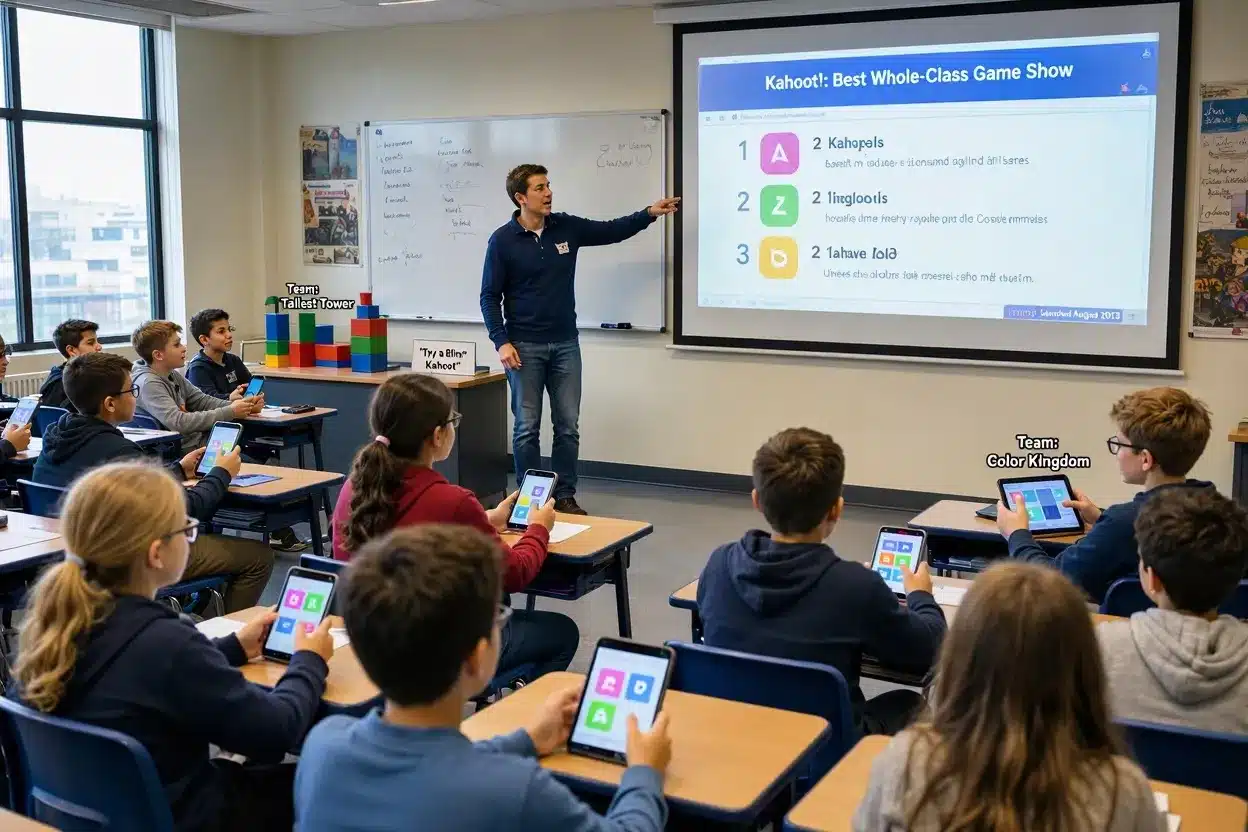
Kahoot! is the best choice for a shared, high-energy moment where the whole room watches one screen. It launched in August 2013, and it’s still the tool most games like Kahoot get measured against. Questions appear on the projector while students tap answers on their own devices, which gives you a natural pause after every tricky item. Team modes such as Color Kingdom and Tallest Tower add a cooperative twist to the standard leaderboard.
Try a Blind Kahoot once. You open with a question students haven’t learned yet, then teach the concept between questions instead of saving the game for review day.
The free plan is the catch. Kahoot’s pricing FAQ caps free games at 10 participants, even though the comparison table on the same page has listed 40, so plan around 10. A class of 25 needs a paid tier, and paid tiers raise the cap by plan level.
3. Wayground (Formerly Quizizz): Best Free Plan for Self-Paced Practice
Wayground is the best free alternative, because its Basic plan never expires and covers live games, homework and accommodations in one account. Students see each question on their own screens and work at their own pace. That lowers the pressure on slower readers. The 25+ built-in accommodations include Read Aloud, and Paper Mode runs a live quiz from printed response cards with zero student devices.
AI tools build quizzes from a YouTube link, a PDF or a phone photo of a worksheet. Individual paid plans no longer appear on the public pricing page, so schools request quotes, and Title I schools or campuses where more than 40% of students get free or reduced-price lunch can apply for premium access at no cost.
Pair Wayground with the Fast and the Curious EduProtocol from Jon Corippo: play a short game, reteach the weakest question, then replay it the next day.
4. Quizlet Live: Best for Teamwork and Vocabulary
Quizlet Live is the best pick for getting students to talk, because each teammate holds only part of the answer choices. No single student can carry a team. Teams must answer 12 questions in a row correctly, and one wrong answer sends their progress back to zero. That reset makes students check with each other before they tap.
Teams mode needs at least 4 players and a study set with at least 6 term-definition pairs, and Quizlet sorts players into teams of 2 to 4. Hosting is free. A Quizlet Plus for Teachers subscription adds custom teams.
For a twist, try Quizlet Quarterback, a variation shared by New York teacher Patrick McMillan. One student stands, reads the question and taps the shoulder of the teammate whose screen shows the answer.
5. Baamboozle: Best for One-Screen Classrooms
Baamboozle is the best option for a classroom with one projector and no student laptops. Teams pick tiles on the shared screen and answer out loud, so the energy stays at the front of the room instead of on 28 separate screens. Students never create accounts. Younger grades and English learners do especially well with the picture-based questions.
- Free plan: Basic, free forever
- Paid plan: Baamboozle+ at 4.99permonthbilledyearly(59.88), or $7.99 month to month
- Refund policy: a 30-day money-back guarantee on Baamboozle+
The Game of the Day has most premium features switched on, which makes it a quick way to test Baamboozle+ before paying.
6. Factile: Best Jeopardy-Style Exam Review
Factile is the best tool for unit and exam review in a familiar Jeopardy format. Teachers build a category board or start from 2.5 million+ public games. The free plan allows 3 custom games and 5 teams, which covers a single course for one semester.
Home/School Basic costs $48 per year and adds unlimited games plus Buzzer Mode, where students buzz in from any browser. That buzzer makes high school review feel like the real show.
One team answers at a time in Factile, so the waiting teams drift. Hand each team a mini whiteboard and have every group write an answer on every question.
7. Wordwall: Best for Printables and Matching Games
Wordwall is the best choice for teachers who mix screen games with paper practice. Every activity, such as a match up, anagram or word search, prints as a worksheet. Students can play on Monday and review the same content on paper Friday.
- Free plan: Basic, with a limited number of activities
- Standard: 57.60peryear(4.80 per month billed annually) or $7.20 month to month
- Pro: 86.40peryear(7.20 per month billed annually) or $10.80 month to month
- School plans: $308 per year for 5 Standard users
Live multiplayer, where students compete in real time, requires Pro. Wordwall’s help center states that limit plainly, so budget for Pro when you want a Blooket-style live game.
8. Plickers: Best When Students Have No Devices
Plickers is the best pick when the teacher’s phone is the only device in the room. Each student holds a printed card, rotated so the A, B, C or D edge points up. You scan the whole class with the Plickers app in a few seconds, and results show up on the board.
The free plan allows unlimited sets of 5 questions each. Plickers Pro costs $8.99 per month or 71.88peryear(5.99 per month), with a 14-day free trial. Students never log in, which keeps the data footprint tiny, and the cards last all year when printed on cardstock.
9. Nearpod: Best for Full Lessons With Built-In Games
Nearpod is the best fit for teachers who want a full lesson with a game inside it, not a stand-alone game. It turns slides, videos and PDFs into interactive lessons, and its Time to Climb activity adds a competitive quiz race at the end.
- Silver (free): 40 students per lesson and 100 MB of storage
- Gold: $159 per year for 75 students per lesson and 1 GB (1,000 MB) of storage
- Platinum: $397 per year for 90 students per lesson
You won’t find coins or avatars in Nearpod. Students who live for Blooket’s shop find it calmer, but the lesson-plus-game format keeps a 45-minute class period on track.
10. Flippity: Best Free Tool for Google Sheets Users
Flippity is the best fully free option for teachers who already keep questions in Google Sheets. You paste your content into a Flippity template, publish the sheet, and get a Quiz Show, Bingo cards, flashcards or a scavenger hunt in under 5 minutes. No accounts are needed for students. There’s no leaderboard drama either, which suits a calm review day.
Which Kahoot Alternatives Work Without Student Devices?
4 Kahoot alternatives run with zero student devices: Plickers, Baamboozle, Factile and Wayground’s Paper Mode. Each one puts the screen at the front of the room.
- Plickers: students hold printed cards, and the teacher scans them with a phone
- Baamboozle: teams answer out loud from tiles on one projector
- Factile: teams choose Jeopardy squares, and the teacher scores answers
- Wayground Paper Mode: students hold printable QR-style response cards during a live quiz
For a shared Chromebook cart, put students in pairs. Quizlet Live teams already work that way, and a class of 30 needs only 15 devices.
Best Games Like Blooket by Grade Level
Baamboozle and Plickers fit K-2, Gimkit and Wayground fit grades 3 to 8, and Factile and Quizlet Live fit high school. Reading level drives most of the choice for younger students, while older students need deeper question types.
| Grade band | Top picks | Why they fit |
| K-2 | Baamboozle, Plickers | The teacher reads aloud, and no student logins are needed |
| Grades 3-5 | Wayground, Baamboozle | Read Aloud supports early readers; picture questions keep focus |
| Grades 6-8 | Gimkit, Blooket, Quizlet Live | Strategy modes hold attention, and team play builds talk |
| Grades 9-12 | Factile, Quizlet Live, Nearpod, Kahoot! | Exam review, AP vocabulary and full lessons |
Students under 13 fall under COPPA, which makes the privacy check below a must for every K-8 classroom.
Is There a Gimkit, Kahoot, Blooket All in 1 Platform?
No, no single tool fully replaces all three, but Wayground comes closest by combining live games, self-paced homework and Paper Mode in one free account. Teachers searching for a gimkit kahoot blooket all in 1 tool usually want 4 things: arcade energy, a shared game show, homework mode and solid reports. Wayground covers the last 3 well. Its arcade feel stays milder than Gimkit’s shop or Blooket’s Gold Quest.
Most teachers end up running games like Blooket and Gimkit side by side with one shared question bank. Write a set in Quizlet, play it in Quizlet Live on Monday, then import the same set into Gimkit for Friday review. One set of questions, two very different games.
Are Blooket Knockoffs Safe for Students?
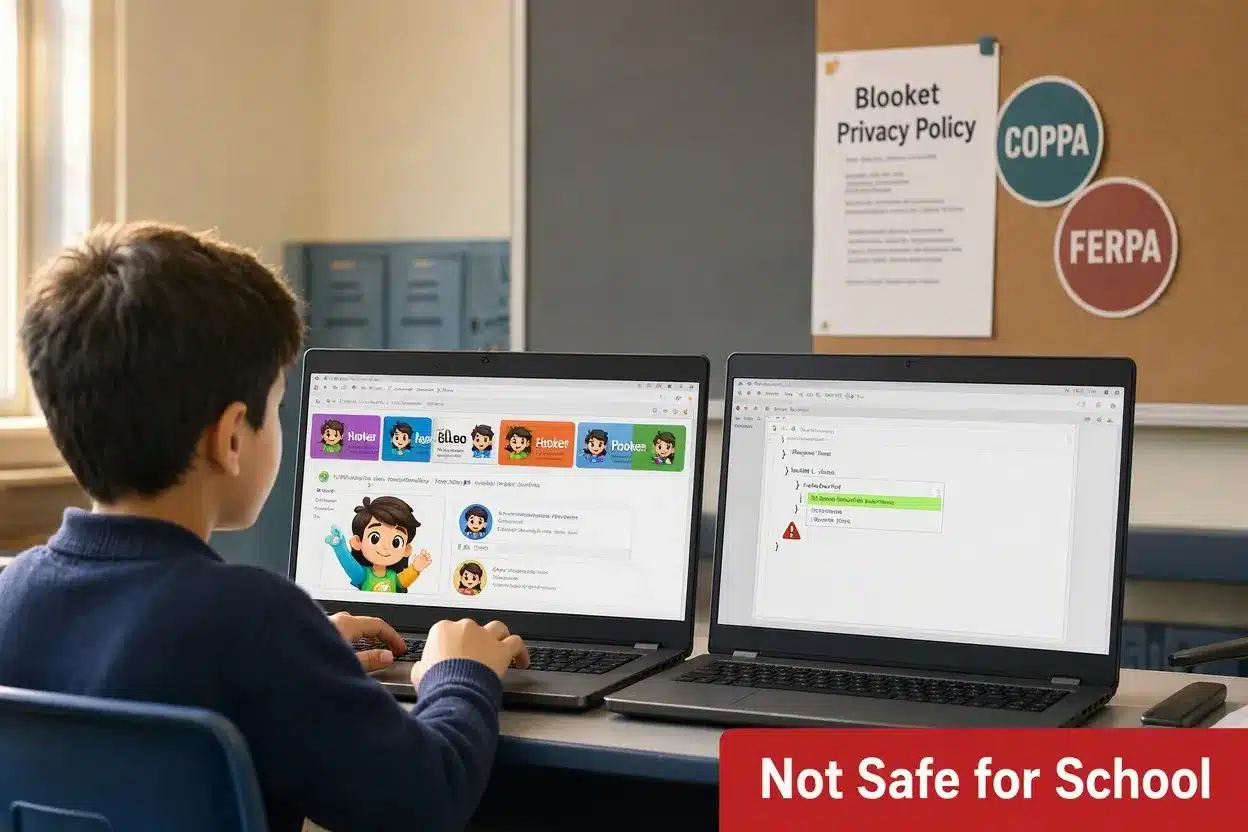
No, Blooket knockoffs are not safe for school use when they lack a published student privacy policy, and unofficial clone sites rarely have one. Blooket knockoffs come in 2 forms. Some are clone game sites that copy Blooket’s look and run ads. Others are “hack” scripts that promise free coins or answers but ask students to paste code into their browser, which hands control of the session to a stranger.
The official Blooket privacy policy states that the company works with schools to protect student data consistent with FERPA and, for users under 13, COPPA. That’s the standard to hold any alternative to. COPPA is enforced by the Federal Trade Commission (FTC) and limits what sites collect from children under 13. FERPA, passed in 1974, protects student education records at schools that receive federal funds.
Run this 4-step check on any new tool:
- Find a privacy policy that names COPPA and FERPA.
- Confirm students can join with a code and a nickname, not an email account.
- Check the student view for ads.
- Ask whether the company signs your district’s data privacy agreement (DPA). Wordwall’s school-plan FAQ, for one, includes a question on getting a DPA signed.
How to Choose the Right Blooket Alternative
To choose the right Blooket alternative, match the tool to your device setup first, then your class size, then your budget. Price matters least, because all 10 of these tools offer a free plan.
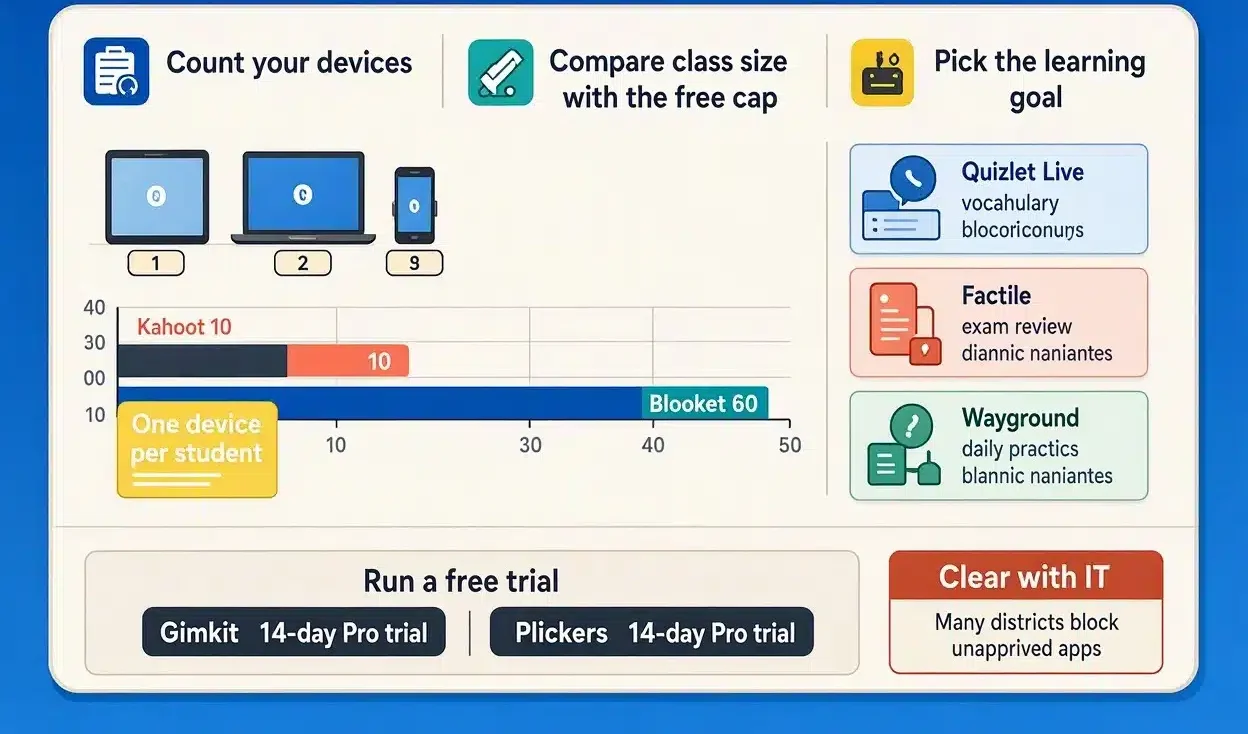
- Count your devices. One per student opens up every tool, and zero points you to Plickers or Baamboozle.
- Compare class size with the free cap. A class of 28 breaks Kahoot’s 10-player free limit but fits easily inside Blooket’s 60.
- Pick the learning goal. Vocabulary points to Quizlet Live, exam review to Factile, and daily practice to Wayground.
- Run a free trial before paying. Gimkit and Plickers both give 14 days of Pro.
- Clear the tool with your district IT team. Many US districts keep an approved-apps list, and an unapproved tool can get blocked mid-lesson.
FAQs
Is there a free game like Blooket?
Yes. Wayground Basic is free forever for every teacher, with 25+ accommodations included, and Flippity costs nothing at all. Quizlet Live hosts team games free whenever the study set has at least 6 terms.
Is Gimkit better than Blooket?
No, not for every class. Gimkit suits longer strategy sessions with its in-game shop. Blooket offers more arcade variety, plus a 60-player free cap, while Gimkit’s free plan limits Pro-exclusive modes to 5 players.
Can students play games like Blooket at home?
Yes. Teachers send self-paced assignments through Wayground or Gimkit Pro, and students open them by code in any browser. Nothing needs downloading, which keeps homework simple on a family laptop or tablet.
Do Kahoot alternatives work on Chromebooks?
Yes. All 10 tools here run inside Chrome, so school Chromebooks handle them without installs. Plickers is the single exception on the teacher side, since scanning cards requires its free iOS or Android app.
How many students can join a free Blooket game?
60 players. Upgrading to Blooket Plus raises that ceiling to 300 for 4.99monthlyonannualbilling(59.88 per year). Plus Flex costs $9.99 month to month, cancelable anytime.
Which Game Like Blooket Should You Try First?
Start with Gimkit for the closest Blooket feel, and add Wayground for the strongest free plan. Those 2 cover most grade 3 to 12 classrooms. For a room without student devices, Plickers or Baamboozle fills the gap at no cost.
Test any new tool against 3 questions before class: does it fit your device count, does the free cap cover your roster, and does the company name COPPA and FERPA in its privacy policy? A yes on all 3 means it’s ready for Monday.